The Client File
Editing and updating the client file is a breeze with Windows. Just point and click.
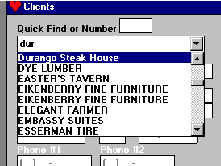 To
edit a client, you click open the "Quick
Find" list and
select the name. All of your clients are listed in
alphabetical
order.
To
edit a client, you click open the "Quick
Find" list and
select the name. All of your clients are listed in
alphabetical
order.
No more remembering numbers or codes.
As with all pull down boxes in Windows, to find a client, just start typing in the name.
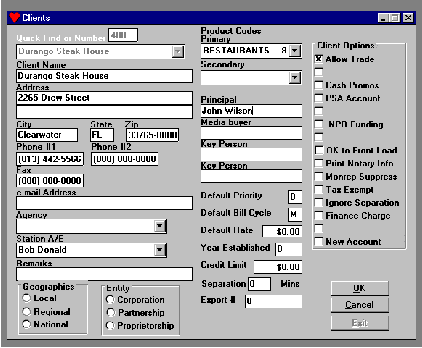 This
graphical representation will give you an idea of the fields
and
options that are available to you. Note that there are
spaces for
two phone numbers plus a fax number and the e-mail address.
This
graphical representation will give you an idea of the fields
and
options that are available to you. Note that there are
spaces for
two phone numbers plus a fax number and the e-mail address.
By the way, there is a separate file for agencies. This way you can tie many clients to one agency.