Printing The Log
 One
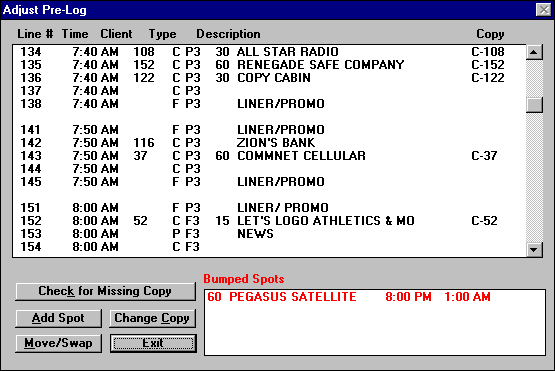
of the biggest time consumers is adjusting the pre-log. On many programs you can only see a stopset at a time. On others, you can see a whole hour at a time, but that is all. With The Traffic C.O.P. for Windows, the entire day is available. Just move the scroll window up and down.
One
of the biggest time consumers is adjusting the pre-log. On many programs you can only see a stopset at a time. On others, you can see a whole hour at a time, but that is all. With The Traffic C.O.P. for Windows, the entire day is available. Just move the scroll window up and down.
Notice the "Bumped Spots" box at the bottom of the screen.
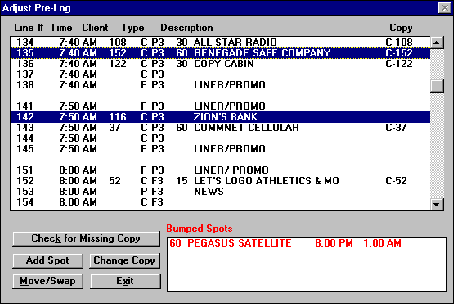 If you want to move a spot with other programs, it can be a a real project. However, with The Traffic C.O.P. for Windows, just highlight the two spots you want to move (either two spots or a single spot and an open avail) and click the "Swap"button. BANG! That's all there is to it. That is what we call user friendly.
The same thing with the Bumped Spots. Just highlight the spot in the box and drag in to a blank space on the pre-log.
If you want to bump a spot, just do the opposite.
There are many more features available. Request the video and the booklet to see them all.
 Finally,
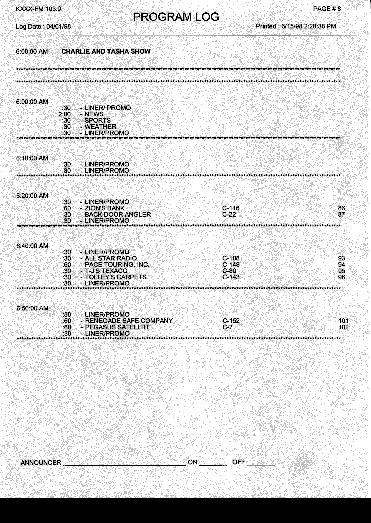
here is an example of a page from the program
log.
Finally,
here is an example of a page from the program
log.
You can set the program up to print one hour on each page, or on hours with few stopsets, it can print multiple hours on a single page.
You have control.